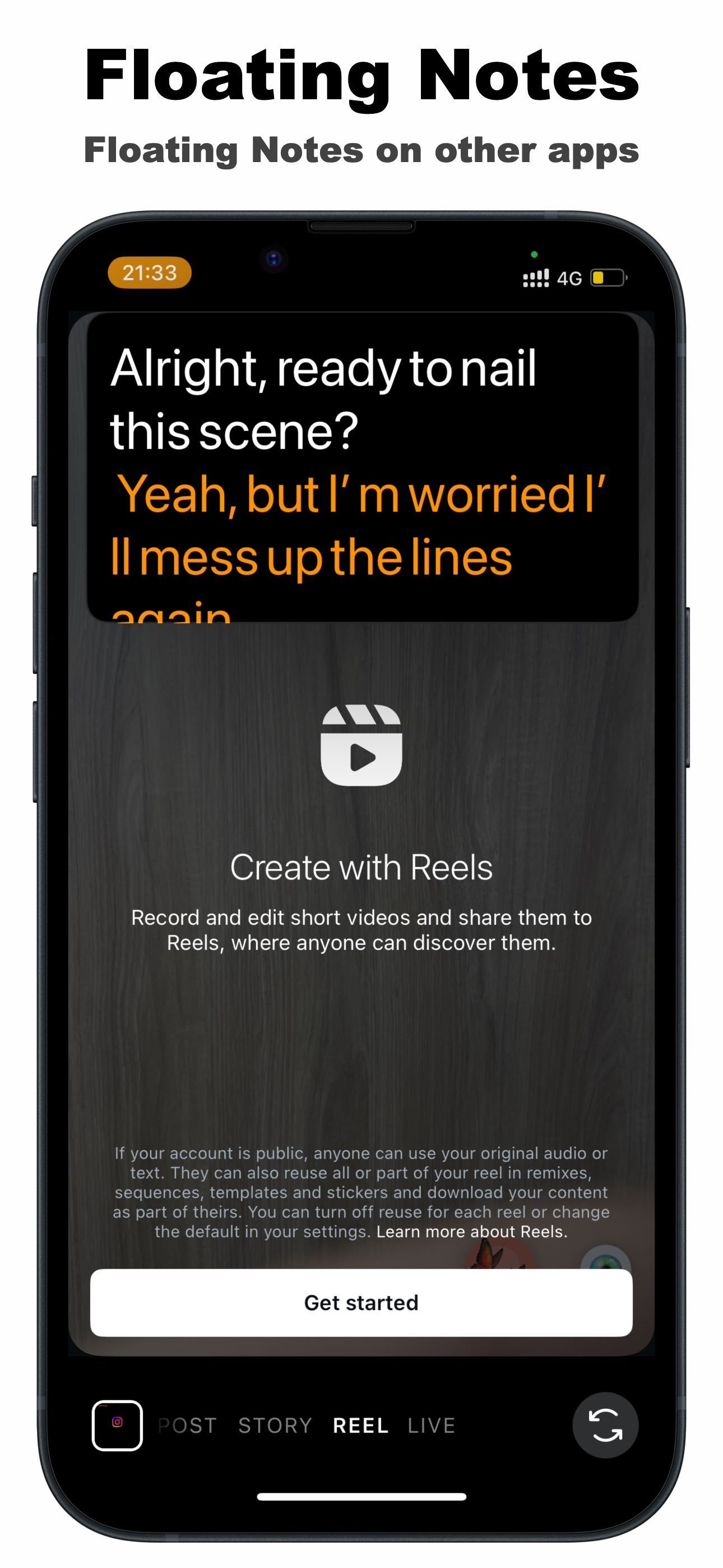
The hard part of scripted TikToks and Reels isn't writing the script — it's delivering it into the TikTok or Instagram camera, where there's no room for a laptop prompter and no way to read paper notes without your eyes drifting. The fix is a floating teleprompter: a small script window that stays on top of the TikTok or Instagram app while you record, scrolling as you speak. You keep the native camera — effects, filters, sounds — and gain a script you can actually read.
Why record in the native TikTok / Instagram camera at all?
Plenty of teleprompter apps record video inside their own camera and have you upload the file. That works, but you lose what makes short-form native: TikTok's effects and trending sounds pipeline, Instagram's filters, and the small algorithmic conveniences of creating in-app. A floating prompter flips the approach — instead of replacing your camera, it rides on top of it.
What about Instagram's built-in teleprompter?
Instagram has begun rolling out a native teleprompter inside the Reels camera, and for a simple straight-to-camera Reel it's worth trying. Its limits are exactly where a floating prompter shines:
- Reels-only. It doesn't exist in TikTok, YouTube, your camera app or live streams — a floating window works in all of them.
- Fixed-speed scrolling. You match the text's pace; TikCue's AI Scroll matches yours, pausing when you pause.
- Basic script handling. No AI drafting or refining, no two-color dialogue lines, no saved script library across platforms.
If you post the same face-to-camera video to TikTok, Reels and Shorts — like most creators — one floating prompter that works everywhere beats three different in-app tools.
How to use TikCue with the TikTok or Instagram camera
- Open TikCue (free on the App Store) and add your script — paste, write or AI-generate it.
- Set the font size, colors and transparency so it reads comfortably, then tap Float-Cue.
- Switch to TikTok or Instagram and set up your shot as usual — effects, filters, sound.
- Drag the floating script right under the front camera, so reading looks like eye contact.
- Hit record and speak — AI Scroll keeps the text at your pace, take after take.
Short-form delivery tips that make the script invisible
- Write like you talk. Read your script out loud once and rewrite anything you stumble over — spoken sentences are shorter than written ones.
- Bold your hook. The first 1–2 seconds decide the scroll-past; know your opening line cold and use the prompter for the rest.
- Keep the window near the lens. The closer the text is to the camera, the less your eyes appear to move in the final video.
- Batch record. With a script library in TikCue, you can shoot a week of content in one session — same light, same energy.
Landscape too: the floating window works in portrait and landscape, so the same setup covers vertical TikToks and horizontal YouTube videos.

Get TikCue free on the App Store
A floating teleprompter that scrolls as you speak — in TikTok, Instagram, Zoom or any camera app. iPhone & iPad.